

Are Voice-Controlled Appliances Actually Useful? What Our Testing Reveals
From lights that dim on command to fridges that announce you’re out of milk, voice-controlled appliances have moved from novelty to normal. They promise hands-free convenience, accessibility, and the sort of futuristic flair that used to live only in sci-fi. But once the shine wears off, the real question surfaces: do these devices make everyday living easier—or just more complicated (and expensive)? Let’s take a clear-eyed look at what voice control actually delivers, where it struggles, and how to decide if it fits your home.
Quick note: Appliance Rescue offers expert guides, appliance tips, and troubleshooting advice—but does not provide repair services. If you have questions about resources or guidance, feel free to Contact us.
How Voice Control Works (Without the Buzzwords)
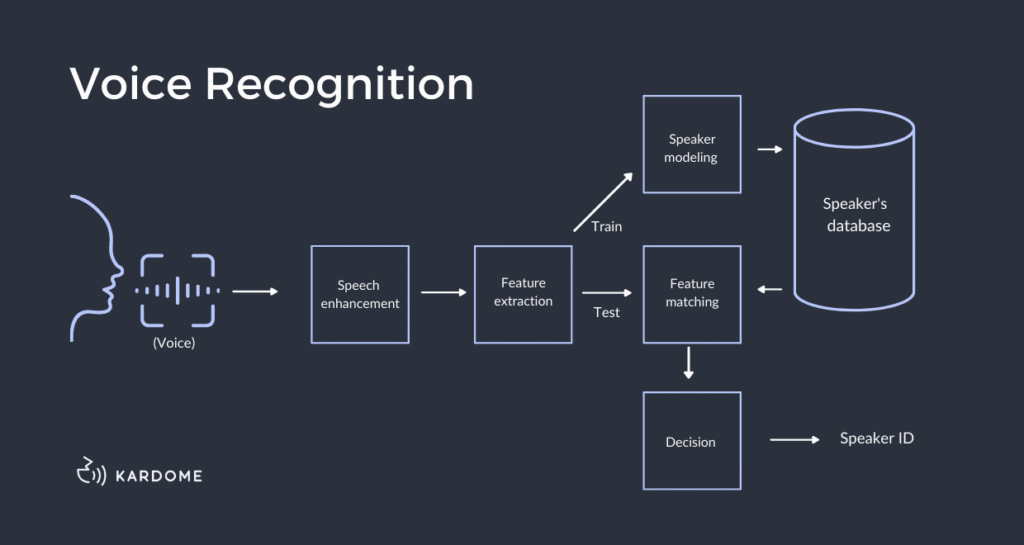
At a high level, voice-controlled appliances rely on three layers:
- Wake word & capture. A smart speaker or built-in microphone listens for a wake word (“Alexa,” “Hey Google,” “Siri”).
- Speech-to-intent. Your spoken request is converted to text and then to an “intent” (e.g., “start oven preheat to 375°F”).
- Action & feedback. The command is routed to the appliance via Wi-Fi/Bluetooth. The device acts and may confirm (“Starting preheat”).
This pipeline is fast and, for common commands, surprisingly accurate—until it isn’t. Accents, background noise, and ambiguous phrasing can trip up the system.
The Real-World Benefits

1) Hands-Free Convenience
Kneading dough with sticky hands? Say, “Preheat oven to 375.” Carrying groceries? “Turn on kitchen lights.” Moments like these are where voice control shines.
2) Accessibility & Aging in Place
For users with mobility, vision, or dexterity limitations, voice control isn’t a party trick—it’s independence. Turning off a stove, starting the washer, or checking a fridge temp by voice can be genuinely empowering.
3) Routine Automation
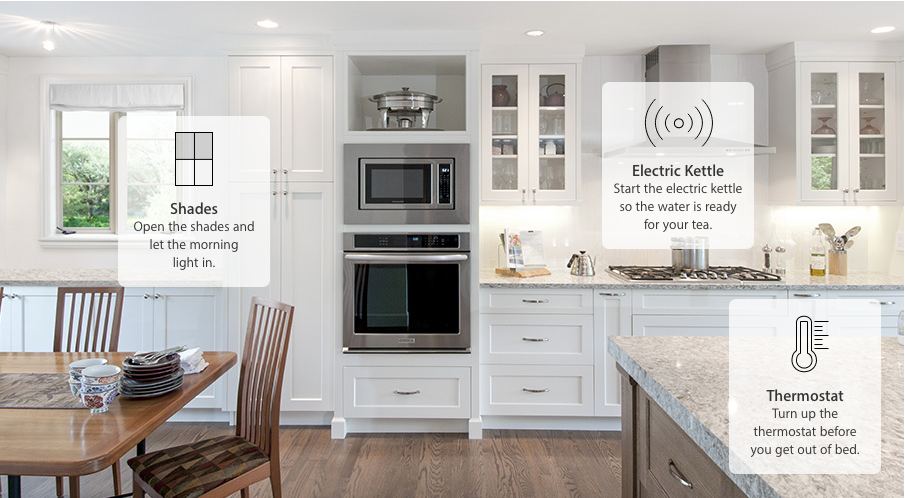
Voice control pairs well with routines. “Good night” might lock the door, dim the lights, drop the thermostat, and ensure the oven is off. One command; many safeguards.
4) Multi-Tasking & Speed
You can throw a roast in the oven and set a precise timer without touching a single knob. Kitchen flow improves; so does safety.
The Hidden Drawbacks

1) Fragmented Ecosystems
Does your oven talk to Alexa, Google, Siri, or only the brand’s app? If your home mixes brands, you may end up juggling skills, apps, and accounts.
2) Reliability & Latency
Cloud hiccups, Wi-Fi dead zones, and firmware bugs can derail voice commands at the worst time. A good manual control is still essential.
3) Learning Curve for Natural Language
You’ll speak “device dialect” at first: “Set front-left burner to medium,” not “Make the pasta water go.” Over time, models get better, but don’t expect magic on day one.
4) Privacy & Data
Wake words, voice snippets, and usage data may be processed in the cloud. You can usually tighten settings (delete recordings, disable personalization), but it takes effort.
5) Cost Premiums
The “smart tax” is real. Voice-enabled models often cost more upfront and can require additional hubs or speakers.
Where Voice Control Makes the Most Sense
Kitchens
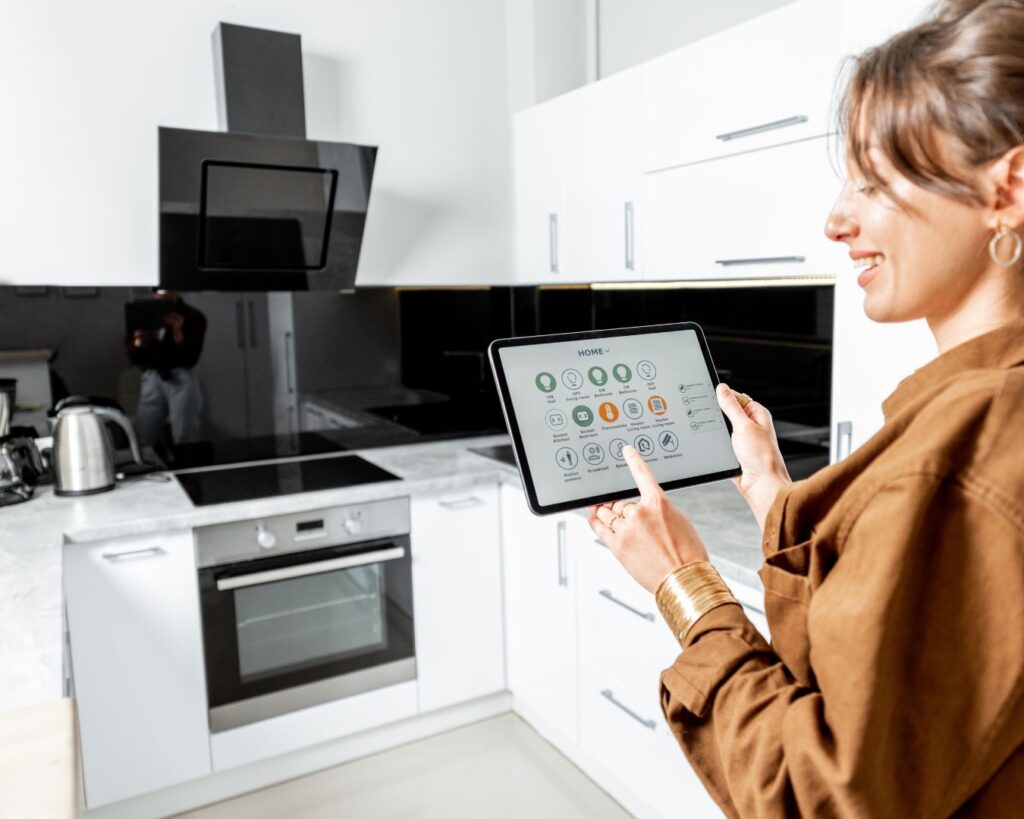
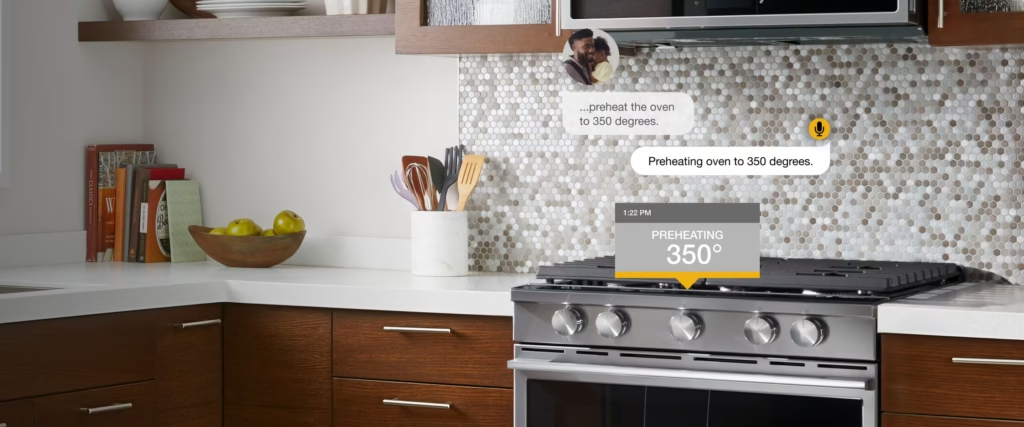
- Ovens & ranges: Preheating, timers, and status checks (“How much time is left?”).
- Dishwashers: Start cycles or get completion alerts while wrangling kids or guests.
- Fridges: Inventory prompts and temperature checks, although these features vary widely.
Laundry Rooms

- Washers & dryers: Start/stop, cycle changes, and notifications when loads finish—handy if the machines live in the basement or garage.
Whole-Home Utilities

- Thermostats & air purifiers: Quick adjustments without app-diving.
- Lighting & plugs: The gateway drug of smart homes—cheap, reliable, and impactful.
Where Voice Control Still Feels Gimmicky
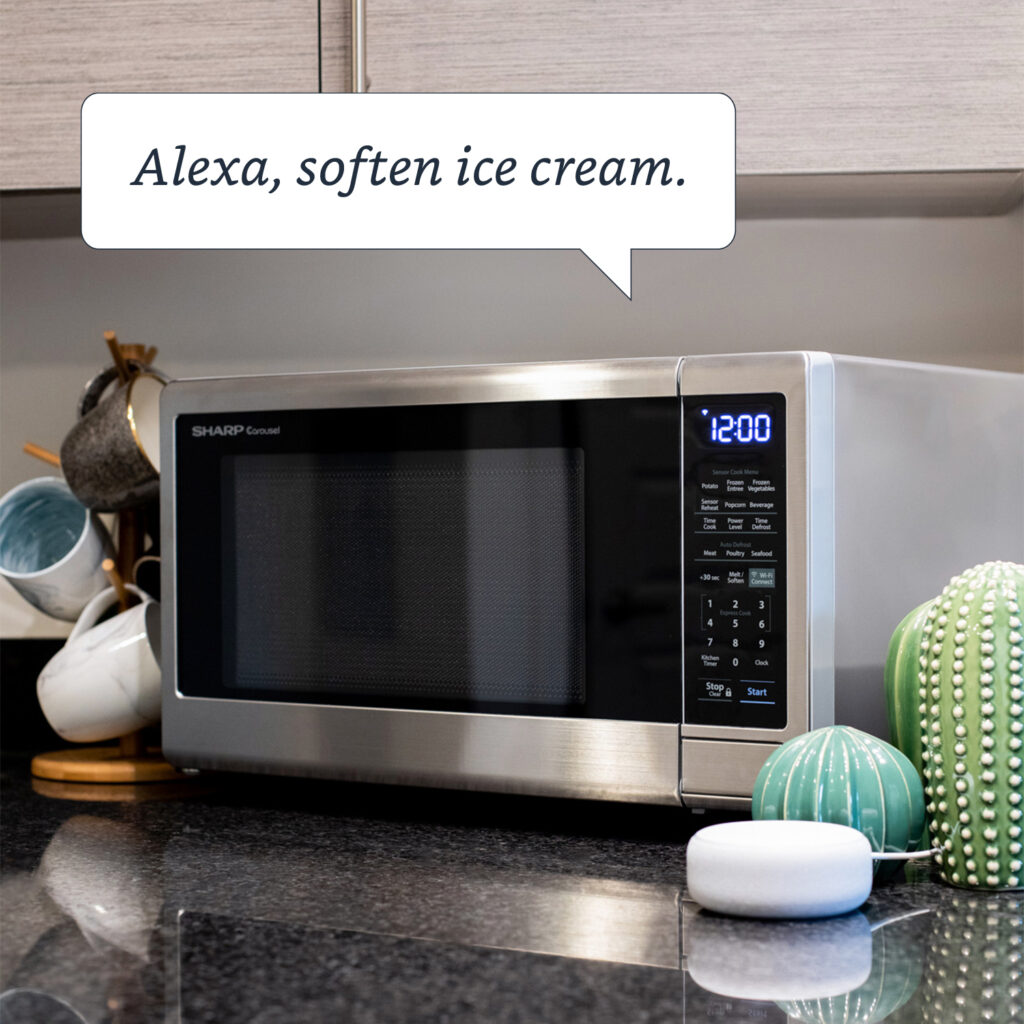
- Microwave fine-tuning: Saying “reheat leftovers level 5 for 38 seconds” is clunkier than a button.
- Complex appliance settings: Specialty wash cycles or oven modes often require app or panel input anyway.
- Noisy spaces: Range hoods or laundry spin cycles can drown out your commands.
Privacy, Security, and Safety: What to Check

- Local vs. cloud processing: Favor brands that offer on-device wake-word processing and clear controls for deleting voice history.
- Account hygiene: Enable two-factor authentication on your appliance app and smart speaker service.
- Mic and camera controls: Physical mute switches are worth their weight in gold.
- Guest access: Use household voice profiles or guest modes so visitors can’t control everything by accident.
- Fail-safe design: Ensure appliances retain manual control and display clear status (e.g., oven “On” indicator).
Cost-Benefit Snapshot
You’ll likely save:
- Time: Hands-free commands reduce app fiddling and walking back and forth.
- Energy (maybe): Automations that actually run—turning off forgotten lights, tweaking thermostat schedules—do add up.
You’ll likely spend:
- Upfront premiums: Smart variants can cost 10–30% more than comparable “dumb” models.
- Ecosystem lock-in: Switching platforms later can mean repurchasing features you already paid for.
Buying Guide: A Practical Checklist
Use this short list to separate hype from helpful:
- Compatibility first. Confirm support for your preferred assistant (Alexa/Google/Siri) and your Wi-Fi band (2.4 vs 5 GHz).
- Core actions, not gimmicks. Identify the 3–5 commands you’ll use weekly. If a model can’t nail those, keep shopping.
- Manual override quality. Dials and buttons should still be intuitive when the internet goes down.
- Routines & scenes. Check whether the device exposes useful actions to your assistant (timers, modes, temperatures).
- Privacy controls. Look for device-level mic mute, recording deletion, and clear data policies.
- Longevity. Ask how long the vendor provides software updates. Appliances last 10+ years—will the smart features?
- Serviceability & documentation. Make sure troubleshooting guides are thorough and easy to follow.
For step-by-step tutorials and neutral troubleshooting advice (again, no repair services are offered), browse Appliance Rescue. If you need guidance on where to find specific how-tos, you can Contact us.
Set Up Tips That Save Headaches
- Name devices plainly. “Kitchen Oven,” “Laundry Washer,” “Hallway Lights.” No cutesy names that confuse the assistant.
- Use voice profiles. Train the assistant to recognize household members to improve accuracy.
- Create a few high-value routines. “I’m home,” “Bedtime,” “Start laundry.” Keep it simple; add later if needed.
- Stage your network. Place routers centrally, add mesh nodes near heavy appliances, and reserve IPs for stability.
- Document the basics. Tape a small card inside a cabinet with the top voice commands for guests (and future you).
Verdict: Worth the Hype—for the Right Household
If your home benefits from hands-free control, shared routines, and accessible interfaces, voice-controlled appliances are more than a fad. They’re a practical upgrade that smooths daily life. If you prioritize rock-solid reliability, minimal data sharing, or the lowest possible price, proceed selectively: start with lighting and thermostats, test your ecosystem, then expand to ovens, washers, or fridges only if the basics work flawlessly.
For impartial how-tos, maintenance checklists, and fix-it guidance you can do yourself (again, no repair services are provided), explore Appliance Rescue. Have a question about a guide or need help finding a tutorial? Contact us and get pointed to the right resource.